
Are you dealing with frustrating internet dropouts, poor wifi coverage or slow internet speeds?
The professional team of internet technicians at Jim’s I.T can fix all your internet issues such as internet dropouts, slow speeds, wifi buffering and even deal with your internet provider on your behalf.
Troubleshooting internet issues can be immensely frustrating for all family members and requires specialised skills and knowledge to do correctly. Our internet technicians will guide you through our methodical testing process and resolve these issues once and for all.
We can also help you install new fibre modems, wifi extenders, wifi mesh systems, network hubs, switches and smart devices.
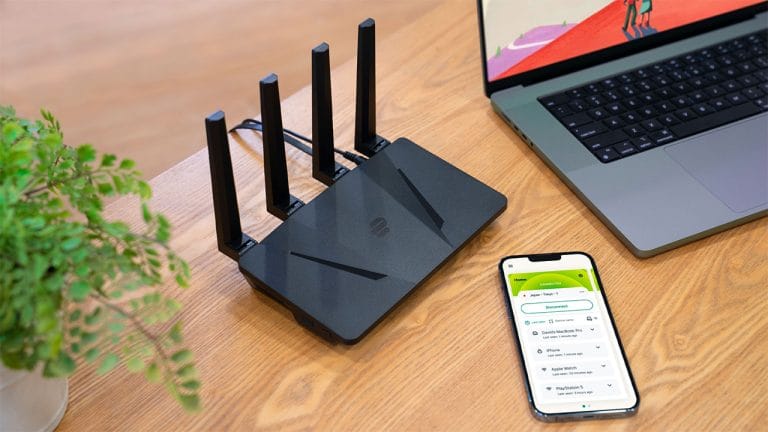
Fibre, Hyperfibre, 4G/5G, Starlink
Home Internet Setup Service
Home Internet Setup
Have you recently switched internet providers, and need assistance setting up a new modem or router? The Internet technicians at Jim’s I.T have years of experience with all types of internet connections including Fibre, Hyperfibre, copper (VDSL/ADSL), 4G/5G wireless and Starlink.
From simple fibre connections for a 3-bedroom house to advanced home networks in state-of-the-art smart homes, Jim’s I.T networking technicians can assist whatever the size and scope of your job.
We service both home and business customers, and can fix internet issues in restaurants, offices, retailers, warehouses and more. We can also advise on new internet connections and see if your current speed plan is appropriate for your needs.
Here are some of the internet installation and networking services we provide:
- New modem installation
- Fibre upgrades
- 4G or 5G internet
- Starlink installation
- Fibre & wireless internet setup
- Wireless mesh setup
- Wifi extender setup
- Outdoor wifi setup
If your WIFI issues are not on the above list, give us a call as we fix hundreds of wifi issues each year, and we can guide you through the troubleshooting process so we can fix the issue permanently.
Business Internet Setup Service
Setting up and organising a business internet connection can be complex and time-consuming if you try to do it yourself. A lot of planning is required and if you miss a step you may create weeks of delays causing immense frustration for you and your staff.
Jim’s I.T internet technicians can guide you through the entire business internet setup process and help you select the right internet connection for your business needs.
We can then help you order the connection, prepare a quote for new networking equipment, reconfigure or upgrade your network (if required) and manage the switchover so there is minimal disruption to your business.
Here are some of the most common business internet setup services we provide:
- Fibre installs
- Fibre installs
- Router setup
- Switch setup
- Server racks
- WAP installs
- Wired network
- Network setup
- Internet setup
- Fix dropouts
If you have a more complex business network or have specialised networking needs, please call our internet technicians on 0800 454 654 and they can advise you on the best solution for your business needs.
Wi-Fi Setup & Installation Service
Most homes have on average ten plus wireless devices from iPhones, iPads, laptops, desktops, printers, wireless speakers and more. Sometimes these devices can drop out driving the whole family crazy.
If your wifi signal is patchy or unreliable these devices will drop out and won’t work as advertised. Jim’s I.T wifi technicians will test and measure your wifi signal and recommend solutions to give you 100% perfect wifi speeds and coverage.
Our Jim’s I.T wifi technicians can also install any new wireless devices you have purchased including smart speakers, wireless cameras, smart TVs, wireless printers and more.
Our WIFI technicians can fix the following type of WIFI issues for both home and business customers:
- Slow Wifi speeds
- Slow internet speeds
- Wireless dropouts
- Poor Wifi coverage
- No Wifi coverage
- No Wifi outdoors
- WIFI streaming issues
- TV buffering issues
If your WIFI issues are not on the above list, give us a call on 0800 454 654 as we fix hundreds of wireless issues each year, and we can guide you through the troubleshooting process so we can fix the issue permanently.

Fibre Installations and Upgrades
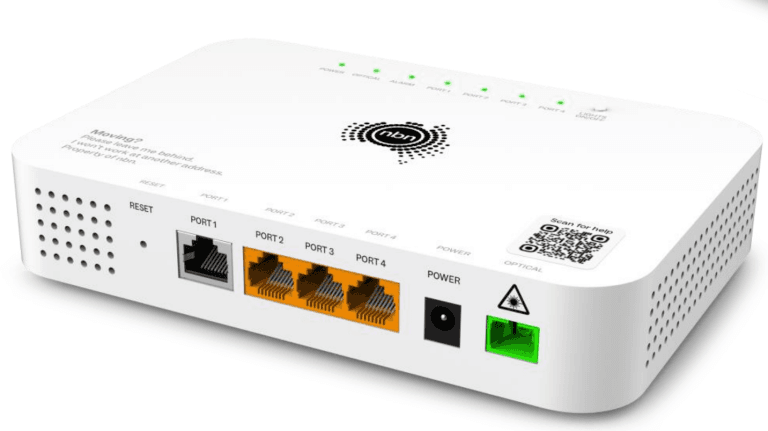
Upgrading your internet connection to Fibre is not always a straightforward process. Fibre installers are working to a tight schedule and the fibre termination point (ONT) can end up in an awkward spot that doesn’t suit your home network.
Our Jim’s I.T internet technicians can guide you through the entire fibre installation process, from helping you select the best internet provider and speed plan, through to meeting the fibre installer to make sure the fibre box (ONT) is installed near your existing router or modem.
We can then manage the switchover to fibre, making sure your modem and wifi can handle the new Fibre speeds and reconfigure your network. We can also install additional wifi units so your family can experience super-fast wifi speeds in every room of the house.
Here are the steps our internet technicians can assist you with when managing a Fibre to the Premise Upgrade:
- Select speed plan
- Order Fibre
- Test modem/router
- Liaise with your fibre company & ISP
- Manage switchover
- Configure devices
- Test Wifi speeds
- Test internet speeds
During the fibre installation process we will test your modem and wifi units and make sure they can handle the increased speeds. If they can’t cope with the increase in speeds, we will give you recommendations for a new modem or wifi units.
Internet Installation Service – Frequently Asked Questions
Our internet installation service includes helping you sign up for a new internet connection or swap internet providers; we will install a new modem and connect all your wifi devices.
If there are any issues with activating your new internet connection we will even call your ISP and troubleshoot and escalate the issue.
Yes, we provide home internet setup services. This includes setting up your new internet connection, changing your internet provider, upgrading your speed plan, or installing new hardware such as modems, routers, or wifi access points.
There are several types of internet connection available in New Zealand. The options available to you are determined by your address and area.
Here is a list of the most common connection types.
- Fibre (Ultra-Fast Broadband)
- Hyperfibre
- VDSL (copper)
- ADSL (copper)
- Fixed Wireless (4G / 5G)
- Rural Broadband (RBI)
- Satellite (e.g. Starlink)
To check which connections are available at your home, enter your address into the National Broadband Map: https://www.broadbandmap.nz/ Areas that have Fibre to the Node and Fibre to the Curb are being upgraded with Fibre to the Premises first.
New Zealand’s fibre network is run by four local fibre companies, depending on where you live.
Chorus runs most of the network nationwide, while Enable (Christchurch), Tuatahi First Fibre (Waikato, Bay of Plenty and Taranaki) and Northpower Fibre (Whangārei and Kaipara) run fibre in their regions.
Your internet provider orders the connection from whichever fibre company covers your address, so you don’t need to contact them directly.
You can check your address here to see which network and connection types are available: https://www.broadbandmap.nz/
Your fibre company may also be able to help with installation questions: https://www.chorus.co.nz/
Fibre companies aren’t internet retailers, so to get connected you still need to sign up with an internet provider such as One NZ, Spark or 2degrees.
The best way to test your internet speeds is to use the Ookla Speed Test website here: https://www.speedtest.net/
Click the “Go” Button and the test will show you your download and upload speeds.
We recommend running this test on a desktop computer and laptop and you can download the ‘Ookla’ speed test app on your iPhone.
Running this test with a cable directly into your modem and will give you the most accurate result.
The best type of backup internet connection is either a 4G or 5G internet connection or a starlink internet connection.
Traditional satellite internet can be extremely slow with high latency. This means it takes a long time for a signal to travel from your satellite dish to the satellite in earth’s orbit.
This is because traditional geostationary satellites are 36,000 km above the earth. So it simply takes a long time for the signal to move between earth at the satellite.
Starlink on the other hand are only 550kms above the earth, so they have extremely low latency, and they have over 8,500 starlink satellites in the earth’s orbit.
This means you get much faster speed, better coverage and reliability by using starlink.
To check if you can get starlink in your area, use the following address check website: https://www.starlink.com/
Yes, we work with an electrician and can organise starlink internet for you.
Yes, we can setup 4G or 5G backup internet for both home and business customers.
The best provider depends on your address, the connection types available to you and how you use the internet. Our technicians can compare plans for you and recommend the right provider and speed for your home or business.
Yes, we can install starlink at your holiday house. Please check the starlink website to make sure it’s available at your address: https://www.starlink.com
Yes, Jim’s Wifi technicians will be able to test and measure your wifi signal in every room of your house and see exactly what is causing the patchy wifi.
It could be the signal is simply too weak from the modem, or the walls or certain construction material are blocking the wifi signal making it weaker.
We will guide you through the testing process and recommend a perfect wifi solution at the end.
Yes, we can fix VoIP phone issues. This may be due to a technical fault with your internet connection or an account issue on your ISPs end. We will troubleshoot the issue and even call your ISP to solve this for you.
Yes, this is a common services Jim’s I.T provides. Usually, customers want to switch internet providers due to poor service or internet issues.
We will gather all the background information and then can help you sign up to a new internet provider and re-configure your modem so there is no disruption to you.
Yes, one of our WIFI and internet technicians will come onsite and test and measure your wifi signal, they will also test your router and fibre box (ONT).
From there they will be able to recommend a wifi extender or wifi access points to make your wifi perfect.
Yes, our Jim’s I.T internet technicians can fix your internet drop outs. They will come onsite and test the WIFI signal, and your internet connection to pinpoint where the dropouts are occurring from.
Internet dropouts can be caused by the following.
- Fibre and line faults
- Faulty modem/Router
- Faulty fibre box (ONT)
- Misconfigured WiFi extenders
- Faulty wifi cards.
- Poor wifi signal
Yes, our networking technicians can come onsite and work their way through your network, testing the data points, the patch panel, and methodical testing all the networked devices.
From there they may reconfigure your existing networking equipment or make recommendations to optimise the wired and wireless network to give you a perfect outcome.
Yes, we can assist you. Internet dropouts inside an apartment are usually related to Fibre and line faults, wiring issues, or faulty equipment. We will need to come onsite to test your internet and wifi. From there we will be able to pinpoint the issue and resolve it for you.
Yes, we can help guide you on upgrading your internet speeds and select the best internet speed plan to match your needs.
Yes, our dedicated internet and wifi technicians will come onsite and investigate what is causing the slow wifi and internet issues. We have a methodical testing process that includes the following:
- Test the Fibre Box (ONT)
- Test the Modem/Router
- Test your wifi signal
- Test your devices
- Test your network
From there our internet and wifi technicians will be able to pinpoint the issues and start working on a solution.
Sometimes there are multiple factors causing problems and it takes years of experience to be able to resolve the issues.
This is why it’s best to use a skilled internet technician.
Yes, this is usually caused by either a faulty wireless card in your laptop or some sort of networking issue that is causing your laptop to have slow wifi. It could also be that your home has poor wifi coverage and your laptop is simply receiving a low signal.
We would need to come onsite to investigate these issues and will then be able to run through our findings and advise and implement a solution.
Yes, our network technicians are involved with new home builds and can help advise and project manage large and complex network installations.
They can help you make sure the fibre installer puts your lead-in connection in the right place and your house has adequate data points and wifi coverage.
They can provide and install all hardware including server racks, switches, routers, wifi access points and program your entire network.
Yes, our Jim’s I.T network technicians can organise Fibre Optic internet to your business premises. We work with all major New Zealand internet providers.
We will need to come onsite to assess the premises and look at your existing networking equipment and office layout. From there we can provide a detailed recommendation, quote and project manage the new internet connection and network setup.
Yes, Jim’s I.T internet technicians will need to come onsite and go through our methodical testing process which includes:
- Testing the fibre or internet connection.
- Testing the hardware, routers, switches.
- Testing data points and patch cables.
From there we will be able to troubleshoot your internet problems and explain what is happening and then implement a perfect solution.
Yes, this is a common service Jim’s WIFI technicians can organise for you. There are various ways we can connect your granny flat to the internet.
These include:
- Using outdoor wifi access points.
- Using Wi-Fi extenders.
- Using Powerline/WIFI extenders.
- Running a data cable between your home and granny flat.
Since there are so many variables, we will need to come onsite to assess your property and can then give you a free quote and recommendations.
Yes, this is usually due to the double brick absorbing a lot of the wireless signal and may involve installing a wireless mesh system or hard wiring wireless access points.
Jim’s I.T finds that a lot of wireless extenders are not powerful enough to cover a whole house with perfect wifi and usually drop out.
We generally recommend a wireless mesh system instead, as they are much more reliable and provide better coverage.
Yes, we are happy to travel to your holiday house to install new internet connections and wireless access points.
Ideally, we would like to see some photos of the house beforehand so we can give you an accurate quote.
Speak to your local computer technician right now
Jim’s Work Guarantee
Why Choose Jim’s I.T ?
Attempting to resolve IT issues yourself can sometimes lead to further complications, data loss, or unnecessary downtime. Computers, networks, and other technology require the right knowledge and tools to diagnose and resolve problems effectively.
Jim’s I.T technicians are experienced in a wide range of IT services, including computer repairs, troubleshooting, software support, network setup, and general technical assistance. With over 15 years of experience, we provide reliable, professional IT solutions for homes and businesses, backed by our No-Fix, No-Fee Guarantee, with convenient service available across New Zealand.
Fixed Pricing
All quotes are free and fixed prices. We may charge to inspect the problem so we can quote accurately.
Same Day Service
You can request on-site same-day service before 10 am. We’ll have a technician at your door that very same day!
No Fix No Fee
If we can’t fix the problem or offer you a solution then there’s nothing to pay*.
Note : *Some issues/problems require a paid inspection/diagnostic fee to determine if the device can be repaired.